
Getting started is easy! Just tap the gear icon to access your investment settings. From there, you can adjust your investment amount to as little as $1 or choose any amount you’re comfortable with.
No pressure! We want investing to fit your budget and lifestyle, so you can start small and adjust your amount whenever you need to.
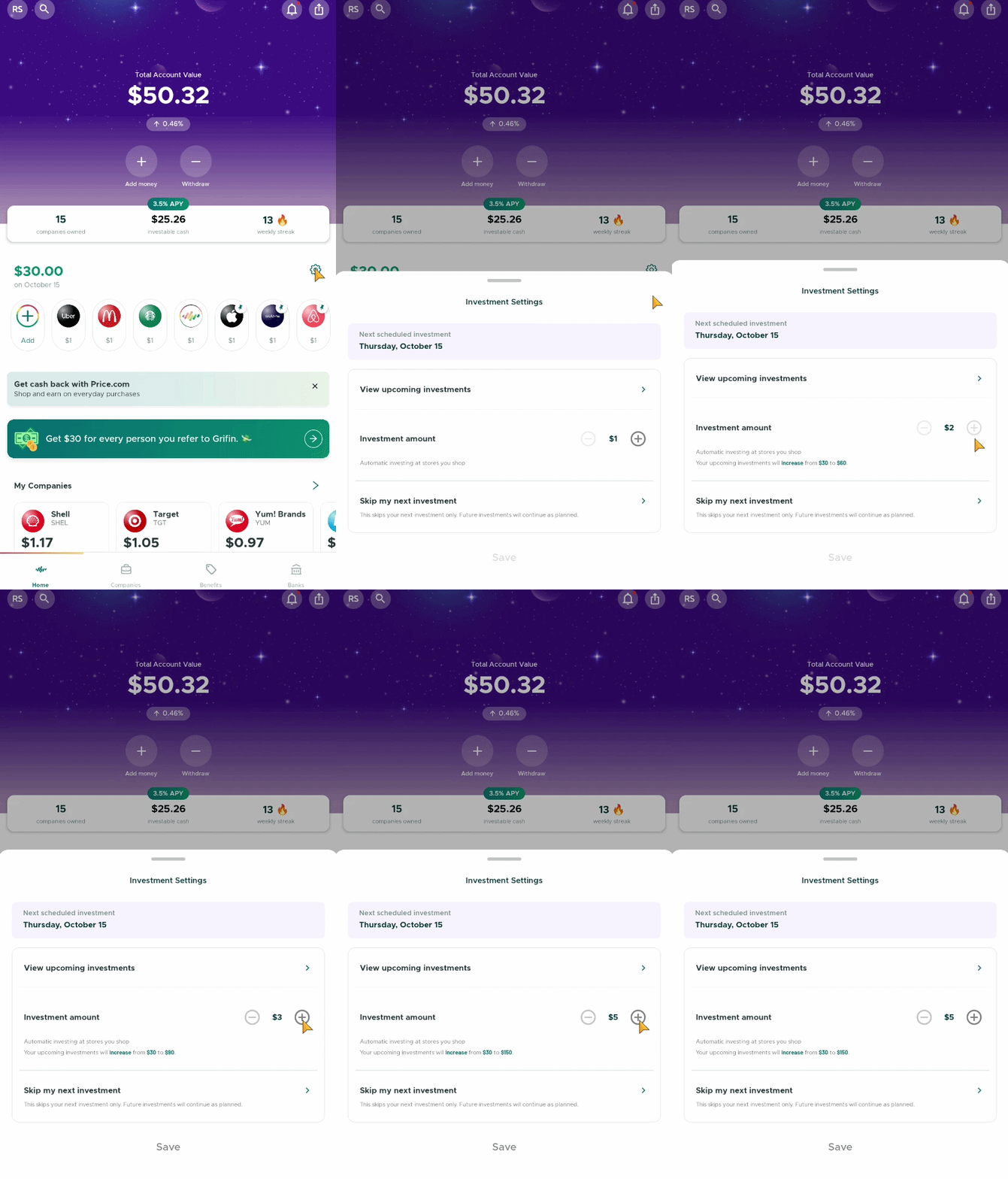
Alternatively, you can adjust your investment amount alongside your other investment settings:
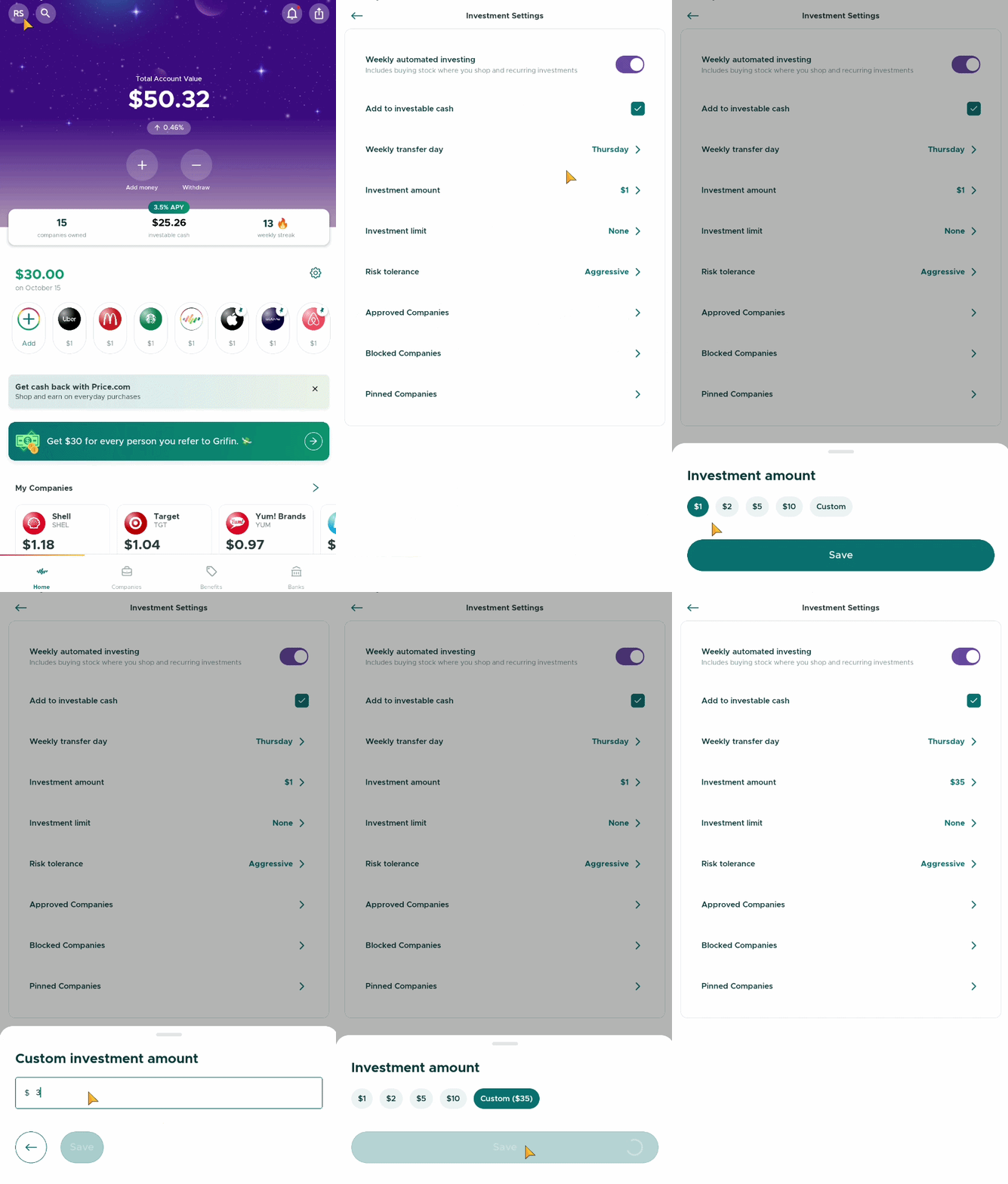
- Tap your initials in the upper-left corner to open your main settings page.
- Under My Account, select Investment Settings.
- Tap Investment Amount to make your changes.
- Don't forget to tap Save to make sure your changes are applied!
And that’s it! A few quick taps, and you’re all set. 😊
Important Note: Your investment amount is the amount Grifin invests for each eligible transaction we detect.
For example, if your investment amount is set to $5 and we detect 10 eligible transactions in one week, your total investment deposit for that week will be $50 ($5 × 10 transactions).
Keep this in mind when choosing your investment amount so your weekly deposits stay within your budget! 💚